

Download Threads Videos in HD — MP4 & MP3 Free
Download videos from Threads instantly with our free online tool. Save any Threads video in HD quality as MP4, or extract the audio as MP3. No app installation needed — works directly in your browser on iPhone, Android, Windows, and Mac. Our Threads downloader is fast, free, and requires no login or registration. Download from carousel posts, save individual videos, or convert to audio. Unlimited downloads with no watermarks.
How to Download Threads Videos (Step-by-Step)
-
1
1. Copy the Threads video link
Open Threads, find the video you want to download, tap the share button, and copy the link to your clipboard.
-
2
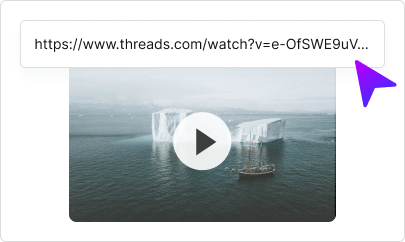
2. Paste the link above
Paste the copied Threads URL into the input field at the top of this page.
-
3
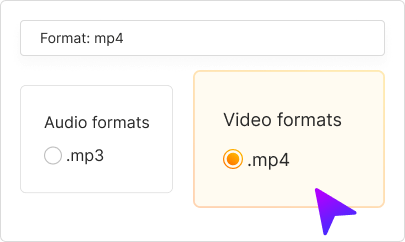
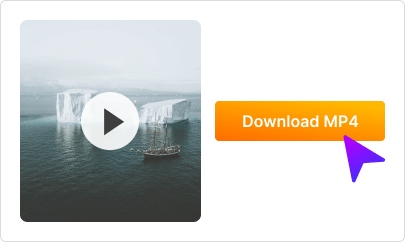
3. Download your video
Choose MP4 (video) or MP3 (audio only), then click Download. Your file will be saved to your device instantly!


FAQ
-
Copy the link to any Threads video post, paste it into the input field above, select your format (MP4 or MP3), and click Download. The file will save directly to your device.
-
Yes! Our Threads Video Downloader is 100% free with no hidden fees. Download unlimited videos without registration or watermarks.
-
Yes! Our downloader works on iPhone, iPad, and all iOS devices. Just use Safari or any browser — no app installation needed.
-
Yes! Works perfectly on all Android phones and tablets. Use Chrome or any browser to download Threads videos directly to your device.
-
We download Threads videos in the highest available quality, typically HD (720p or 1080p) depending on the original upload quality.
-
Paste the Threads video link, select MP3 as the output format, and click Download. The audio will be extracted and saved as an MP3 file.
-
Yes! Our tool supports carousel posts. Paste the link and you can download individual videos from multi-video posts.
-
No login required! Just copy the public video link and paste it into our downloader. We don't need your Threads credentials.
-
Downloading videos for personal use is generally allowed. However, always respect copyright and don't redistribute content without permission from the creator.
-
Make sure the video is from a public account and the URL is correct. Private account videos cannot be downloaded. Try refreshing and pasting the link again.